
Prompts
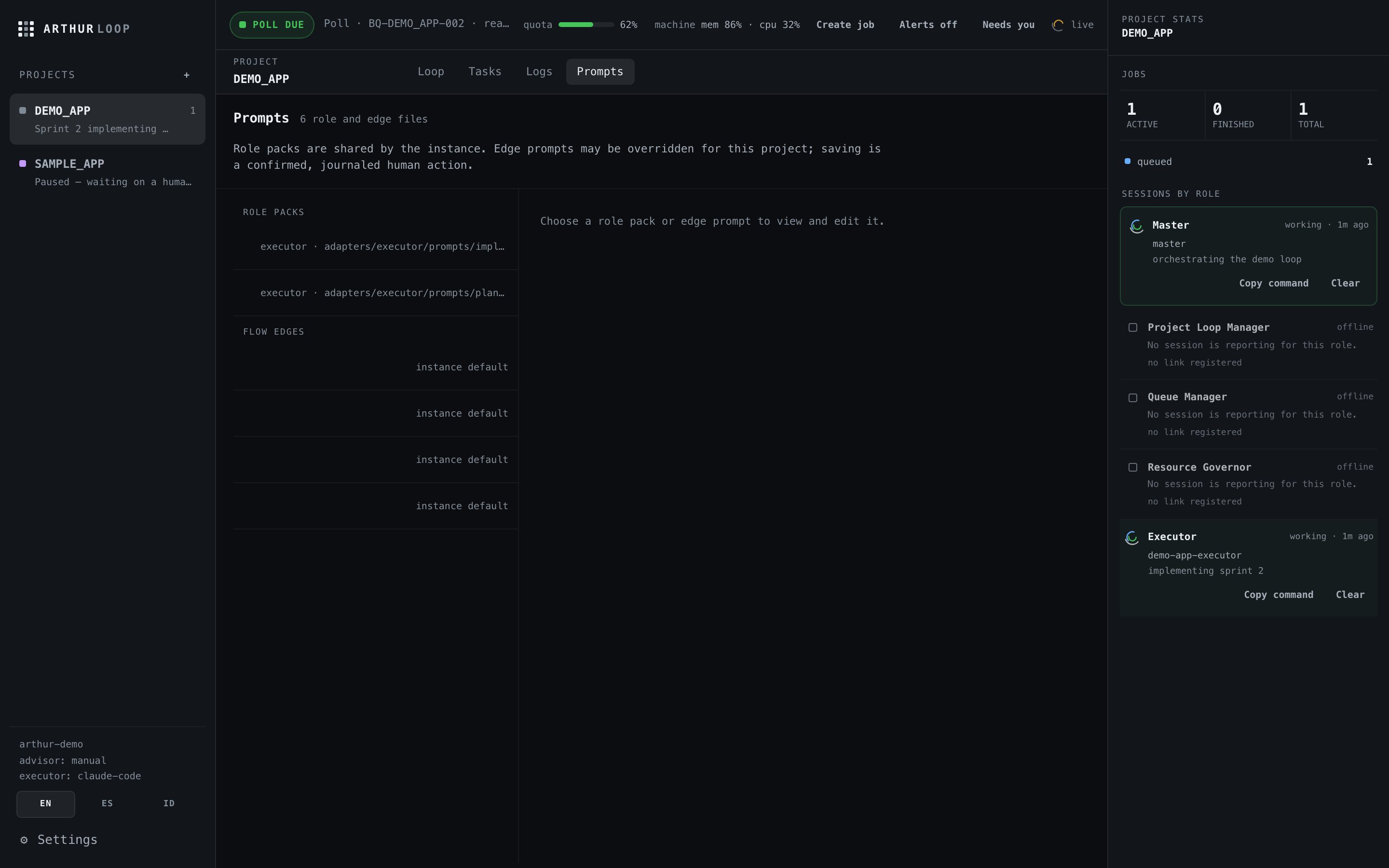
The loop runs on written prompts, not vibes. All of them are markdown, seeded into your instance by arthur init, and editable — in a text editor or the console's prompt workbench.
Three tiers
| Tier | What it covers | Examples |
|---|---|---|
| Adapter packs | How each advisor plans and each executor builds | next-plan-request, plan-approval-review, sprint-review, plan-only, implementation-handoff |
| Edge prompts | The four handoff seams of the loop | advisor→queue, queue→executor, executor→review, review→human |
| Master pack | The master agent's skill and summaries | SKILL.md, human-decision-summary |
Per-project overrides
Every prompt can be overridden per project. On the console's loop canvas, each edge carries a "P" badge that deep-links straight into that edge's editor. Saves are journaled like any other change.
One honest caveat
Edge prompts are a management surface today: the place your team's rules for each handoff live, versioned with the instance. The scheduler itself does not compose them into agent calls at runtime — agents read them as instructions. If you expect editing an edge prompt to rewrite what arthur tick sends anywhere, it will not; tick sends nothing.